The Reality of HVAC Fieldwork Nobody Talks About
You are lying on your back in a 140-degree attic in July, sweat dripping into your safety glasses, trying to remember the saturation temperature of R-410A at 118 psi. Your gauges are connected. The homeowner is hovering by the air handler asking if it is the compressor. You need an answer in the next 30 seconds, not after navigating through six menu screens and a login prompt.
This is the reality of HVAC fieldwork. It is not sitting at a desk scheduling appointments or generating invoices. It is crawling through tight spaces, working on rooftops in freezing wind, and troubleshooting refrigeration systems under pressure — both literally and figuratively. And yet, when you search for "HVAC apps" in your phone's app store, the vast majority of results are built for business owners and office managers, not for the person with refrigerant on their hands.
The HVAC field service software market was valued at approximately $891 million in 2026 and is projected to exceed $2.1 billion by 2035. That is a lot of money being poured into software. But how much of it is actually solving problems for the technician standing in front of a condensing unit at 7 AM? Let us dig into what field techs genuinely need versus what most apps are trying to sell them.
What Technicians Actually Need vs. What Most Apps Offer
Talk to any experienced HVAC technician and you will hear the same frustrations. Most apps marketed as "HVAC tools" fall into two categories: business management platforms and field reference tools. The problem is that these two categories serve completely different users with completely different needs.
Business Management Apps: Great for Owners, Not for Techs
Apps like ServiceTitan, Housecall Pro, Jobber, and FieldPulse are excellent at what they do — scheduling, dispatching, invoicing, customer management, and fleet tracking. If you run an HVAC business, these tools are essential. But when a technician is on a ladder trying to diagnose a low-charge condition on a commercial refrigeration unit, none of that functionality helps.
These platforms typically require logins, internet connectivity, and multiple navigation steps to reach any technical content — if they include technical content at all. They are designed around the workflow of the office, not the rooftop. Over 62% of HVAC service firms now use digital scheduling and dispatch platforms, which is great for operations. But the technician's core need — fast access to refrigerant data, calculation tools, and diagnostic references — remains underserved by these platforms.
What the Field Actually Demands
When you are on-site, the tools you reach for most often are surprisingly simple but absolutely critical:
- Pressure-Temperature (PT) charts — You need to know the saturation temperature for a given refrigerant at the pressure your gauges are reading. This is the most basic and most frequently used reference in refrigeration work. A good app should cover at least 60-80 common refrigerants and display both dew point and bubble point values for blends with temperature glide.
- Superheat and subcooling calculators — For every system you charge or diagnose, you need to calculate actual superheat (suction line temperature minus evaporator saturation temperature) and subcooling (condenser saturation temperature minus liquid line temperature). Target superheat for R-410A systems typically falls between 10-20°F, while subcooling targets range from 8-15°F depending on the manufacturer.
- Refrigerant charge calculators — Determining whether a system is overcharged or undercharged based on operating conditions, outdoor ambient temperature, and metering device type. TXV systems use subcooling as the primary charge indicator; fixed-orifice systems use the target superheat method.
- Unit conversions — PSI to kPa, Fahrenheit to Celsius, BTU to kW. When you work on imported equipment or reference international specs, conversions come up constantly.
- Offline access — Many job sites, especially rooftops, mechanical rooms, and rural locations, have poor or no cell signal. An app that requires internet connectivity to show you a PT chart is useless when you need it most.
The Field Reference App Landscape in 2026
Fortunately, there are apps specifically designed for the technical side of HVAC work. Here is an honest look at what is available and what each tool does well.
HVAC Buddy
HVAC Buddy has been a staple in technicians' toolkits for years. It covers refrigerant charging and diagnostics for over 70 refrigerants, includes PT charts, duct sizing calculations, and electrical formulas. The one-time purchase price (around $9.99) makes it accessible. However, the app has not seen frequent updates in recent years, and some technicians report compatibility issues on newer devices. It does not connect to Bluetooth instruments, so all data entry is manual.
MeasureQuick
MeasureQuick is the heavy hitter for technicians who use smart probes and digital gauges. It connects via Bluetooth with instruments from Fieldpiece, Testo, and JB Industries, pulling live readings directly into the app. Its diagnostics engine flags over 100 fault conditions automatically. The core diagnostic version is free, but the Premier subscription runs around $49 per month per user — which makes sense for high-volume service companies but is steep for independent techs or smaller shops.
Danfoss Ref Tools (formerly Refrigerant Slider)
Danfoss Ref Tools evolved from the popular Refrigerant Slider app into a comprehensive reference tool. Its PT calculator covers over 140 refrigerants with dew and bubble point values for blends with glide — the widest refrigerant coverage of any free app. The Low-GWP Tool helps identify climate-friendly retrofit options, and the Troubleshooter module guides you through symptom-based refrigeration diagnostics. It is completely free with no subscription, which is hard to argue with.
Copeland HVACR Check and Charge
Copeland's (formerly Emerson) Check and Charge app is focused specifically on refrigerant charging calculations. It supports superheat, subcooling, and airflow methods across a wide range of refrigerants including R-22, R-410A, R-32, R-454B, and many others. The interface is straightforward — choose your method, enter your temperatures and pressures, and get a charge determination. It is free and well-maintained by a major manufacturer.
RefriPro
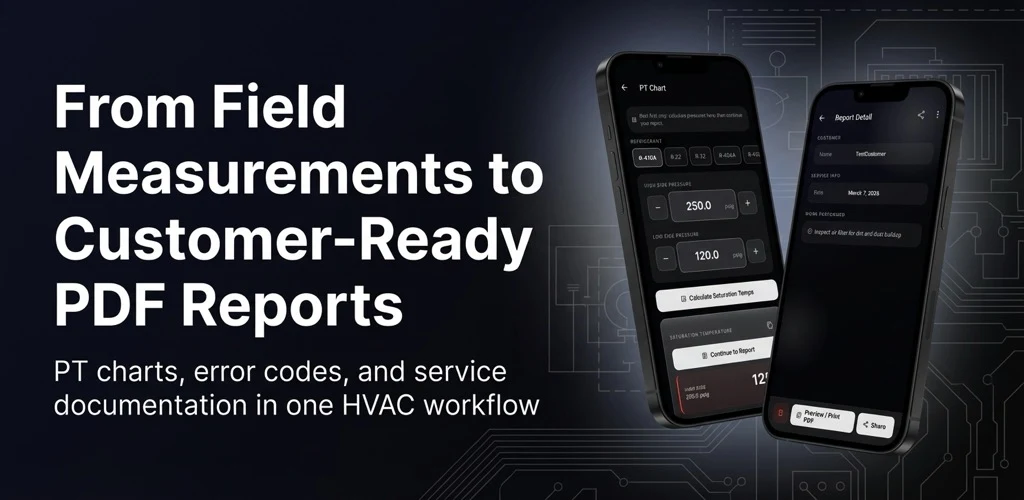
A newer entry in the field reference category, RefriPro takes a deliberately focused approach. Rather than trying to be a business management platform or a Bluetooth diagnostics hub, it concentrates on the core calculations technicians perform daily: refrigerant charge calculations, superheat and subcooling values, PT charts, and unit conversions. It works offline, which matters when you are on a rooftop with no signal. Available on Android in English and Korean, it is designed as a practical field reference — the kind of tool you open, get your answer, and get back to work. No subscription fees, no account creation, no unnecessary complexity.
Bluon
Bluon combines technical reference tools with a community platform. You get PT charts, superheat and subcooling calculators, and system diagnostic tools, plus the ability to post photos of problems and get real-time troubleshooting help from other technicians and Bluon's support team. The community aspect is genuinely useful for unusual situations, though the app leans heavily toward promoting Bluon's own refrigerant products.
How to Choose the Right HVAC App for Your Workflow
With this many options, how do you decide what belongs on your phone? Here is a practical framework based on what actually matters in the field.
Know Your Primary Use Case
Be honest about what you need most often. If you are an install tech who primarily does residential changeouts, your needs are different from a service tech troubleshooting commercial refrigeration systems. If you mostly work with a handful of common refrigerants — R-410A, R-22, R-134a, R-404A — you do not necessarily need an app that covers 140 refrigerants. But if you service walk-in coolers, ice machines, and specialty equipment, that wide refrigerant database becomes essential.
Prioritize Speed and Simplicity
In the field, every extra tap is a friction point. The best app is the one that gets you from opening it to getting your answer in the fewest possible steps. If you find yourself navigating through multiple screens, creating accounts, or waiting for data to load before you can look up a saturation temperature, that app is slowing you down. Timed yourself: if you cannot get a PT value within 10 seconds of opening the app, it is too complicated for field use.
Test Offline Capability
Before you rely on any app, put your phone in airplane mode and try every feature. You would be surprised how many "field" apps require an internet connection for basic reference data. PT charts, superheat calculators, and unit conversions should all work without a signal. Save the cloud-connected features for report generation and data sync when you are back in the truck.
Evaluate Cost vs. Value Honestly
Free apps are great, but "free" sometimes means ads popping up while you are trying to read a chart, or features locked behind a subscription you discover mid-job. On the other end, a $49/month subscription only makes sense if you are using advanced features like Bluetooth instrument integration and automated diagnostics daily. For many technicians, a focused free tool or a modest one-time purchase covers 90% of field needs.
Consider the Multi-App Approach
Most experienced techs end up with two or three apps on their phone, each serving a different purpose. A common setup might be: one business management app for receiving dispatch and completing paperwork (ServiceTitan, Housecall Pro, or similar), one focused field reference tool for quick calculations and PT lookups (RefriPro, HVAC Buddy, or Danfoss Ref Tools), and optionally one diagnostic platform if you use smart probes (MeasureQuick). Trying to find a single app that does everything well is like trying to find a single wrench that fits every bolt. It does not exist.
What the Future Looks Like for HVAC Field Apps
The HVAC industry is in the middle of a significant transition. The global phase-down of high-GWP refrigerants means technicians are increasingly working with newer blends like R-32, R-454B, and R-513A that many were not trained on in school. At the same time, heat pump adoption is accelerating, and the line between "HVAC tech" and "refrigeration tech" continues to blur. Smart building systems are adding complexity, and the technician shortage — with over 3.6 million HVAC technicians worldwide struggling to meet growing demand — means each tech is handling more diverse equipment.
All of this points to a growing need for better field reference tools. Not more complex business platforms, but smarter, faster, more reliable calculation and reference apps that help technicians work confidently with unfamiliar refrigerants and equipment. The apps that will win are the ones that respect the technician's time and working conditions: fast to open, easy to read in direct sunlight, accurate in their calculations, and functional without an internet connection.
The HVAC field service app market is booming, projected to grow at over 10% annually through 2035. The question is whether that growth will be driven by yet more business management features that technicians never touch, or by genuine improvements to the tools that matter on the job. If you are a technician reading this, the best thing you can do is try a few of the apps mentioned here, figure out which ones actually fit into your daily workflow, and stop settling for tools that were not built with your hands in mind.