
How to charge USPS rates by weight at Wix checkout
Charging by weight means two numbers have to be right before anything else: what the parcel weighs, and where it starts from.
After that one choice is left. Keep a weight table you maintain, or ask the carrier at every checkout. Here is where Wix gets the weight, the order to switch live rates on in, and the addresses they leave alone.
Where the weight comes from
Every product in Wix carries a shipping weight and the cart adds them up.
Wix says plainly what happens when it is missing: "If a product doesn't have a weight added, it's calculated as though it weighs 0." A catalogue with a few blanks does not fail loudly; it prices those orders as though they were empty boxes.
Weights go in in bulk. In Products, select the rows, click More Actions, choose Change shipping weight, enter a weight and save; variants carry their own. The unit is the pound or the kilo, since "it is not possible to enter the product's weight in grams or ounces."
A weight table, or the carrier's own number
Rate by Weight is the built-in answer: ranges such as "0 lb. to 2 lb.", up to thirty of them, and "When customers check out, they'll only see the rates that apply to their order."
A table still prices the average of a band. Two 3 lb orders pay the same whether one crosses a state line or the country, every carrier price rise sends you back to edit it, and "Currently, it is not possible to combine shipping rules based on weight with shipping rules based on price."
The other route asks the carrier per checkout. The native USPS calculator is "available for merchants based in the U.S selling in USD (except Puerto Rico)," and past that Wix points at apps. Both need the same switch: "You must enable the app in each region where you want customers to see it."
Setting up USPS rates by weight, step by step
SafeRates is our Wix app. It answers the checkout rate request with live USPS estimates for US domestic orders and logs every request.
Put a weight on every product
Start in Products, not in the app. Select the rows you need, click More Actions, choose Change shipping weight, enter a weight and save.
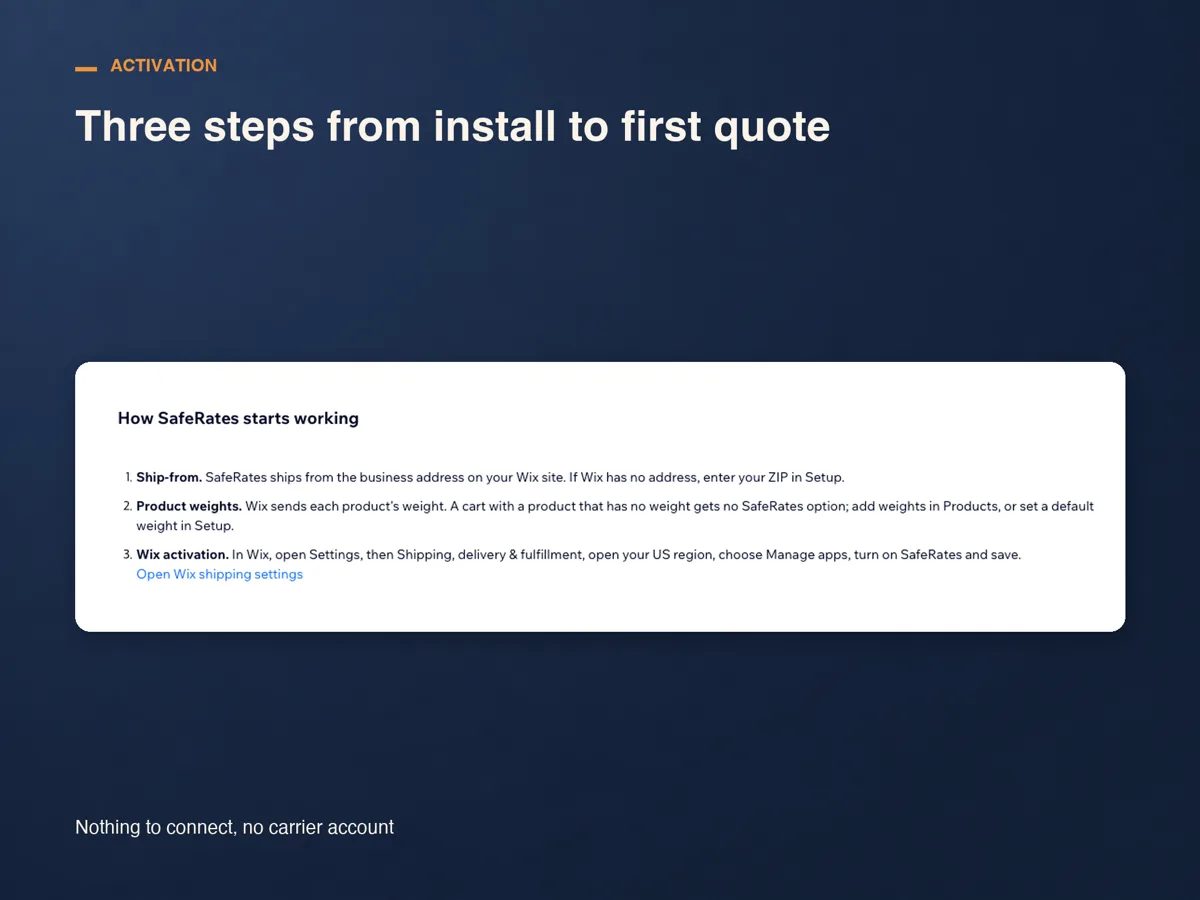
Install SafeRates and turn it on for your US region
Install from the App Market, then open Settings, Shipping, delivery & fulfillment. Open the region that covers the US, usually named Domestic, choose Manage apps, turn SafeRates on and save. Installing alone does nothing; this switch is what makes checkout ask.
Set the ship-from address, the parcel and a default weight
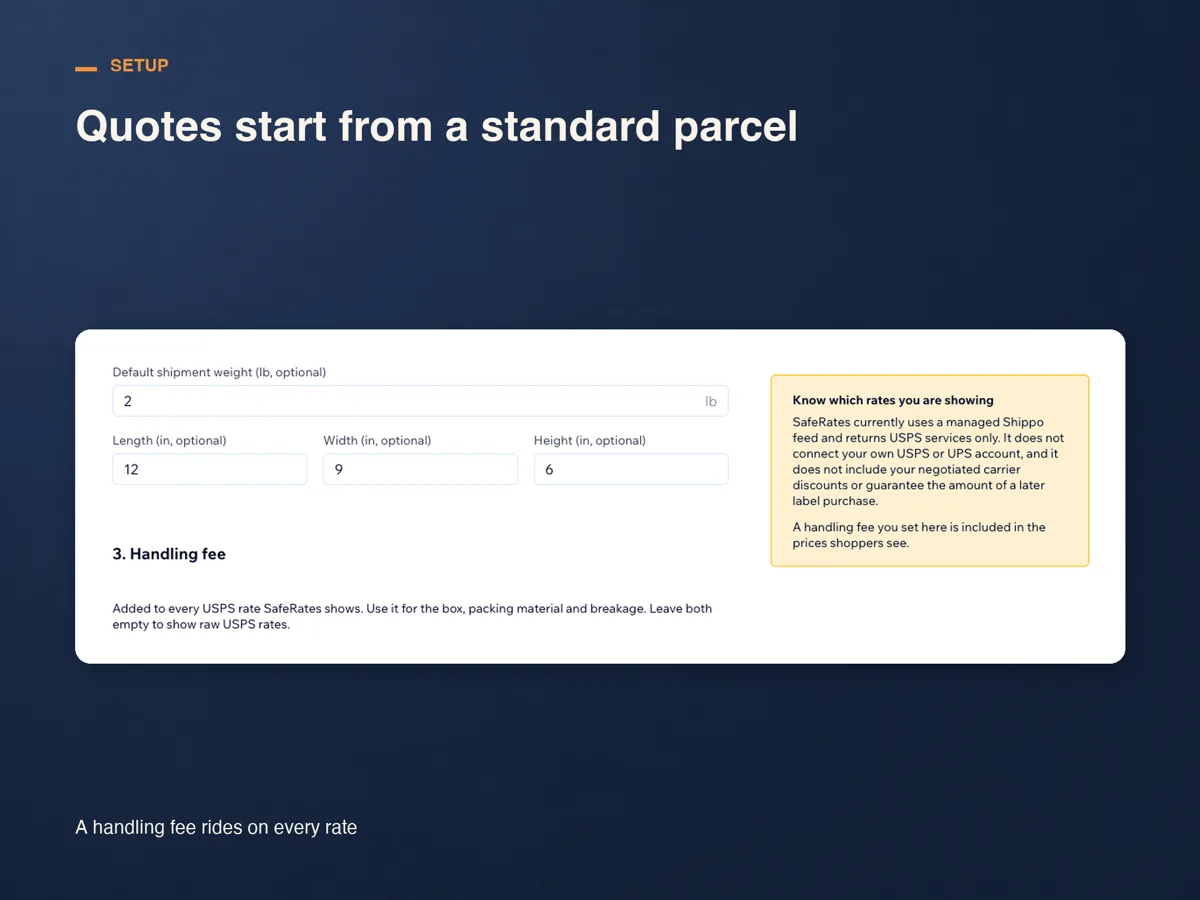
SafeRates quotes from the business address on your Wix site; if that is empty, enter the ZIP you ship from in Settings. Wix sends no product dimensions in this rate request, so every estimate uses the box you save there, and a standard 12 × 9 × 6 in parcel until you do. A default shipment weight is what a cart falls back on when a product still has none, and without one that cart gets no option at all.
Run a test checkout
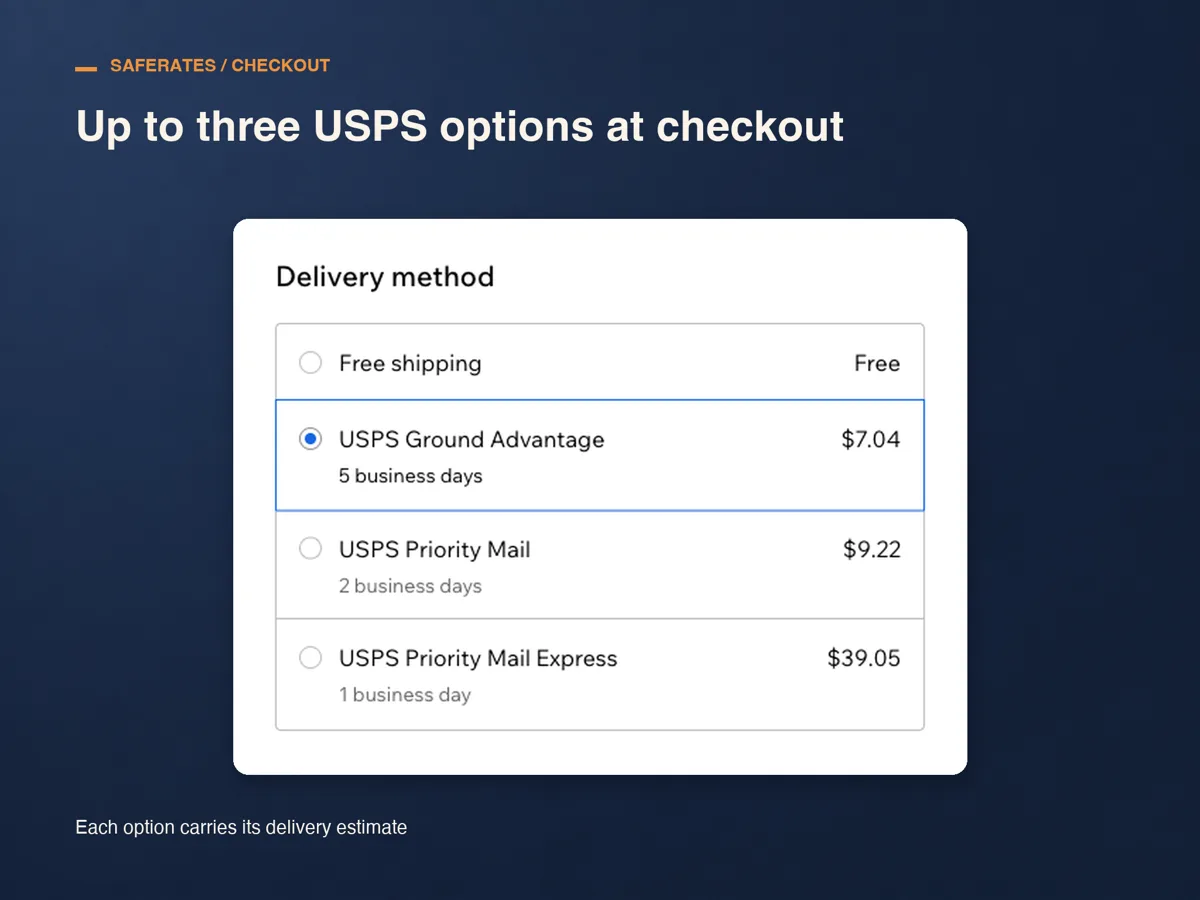
Put something in the cart, check out to a US address and look at Delivery method. You should see up to three USPS services, each with its delivery estimate beside the price.
Read the first real requests
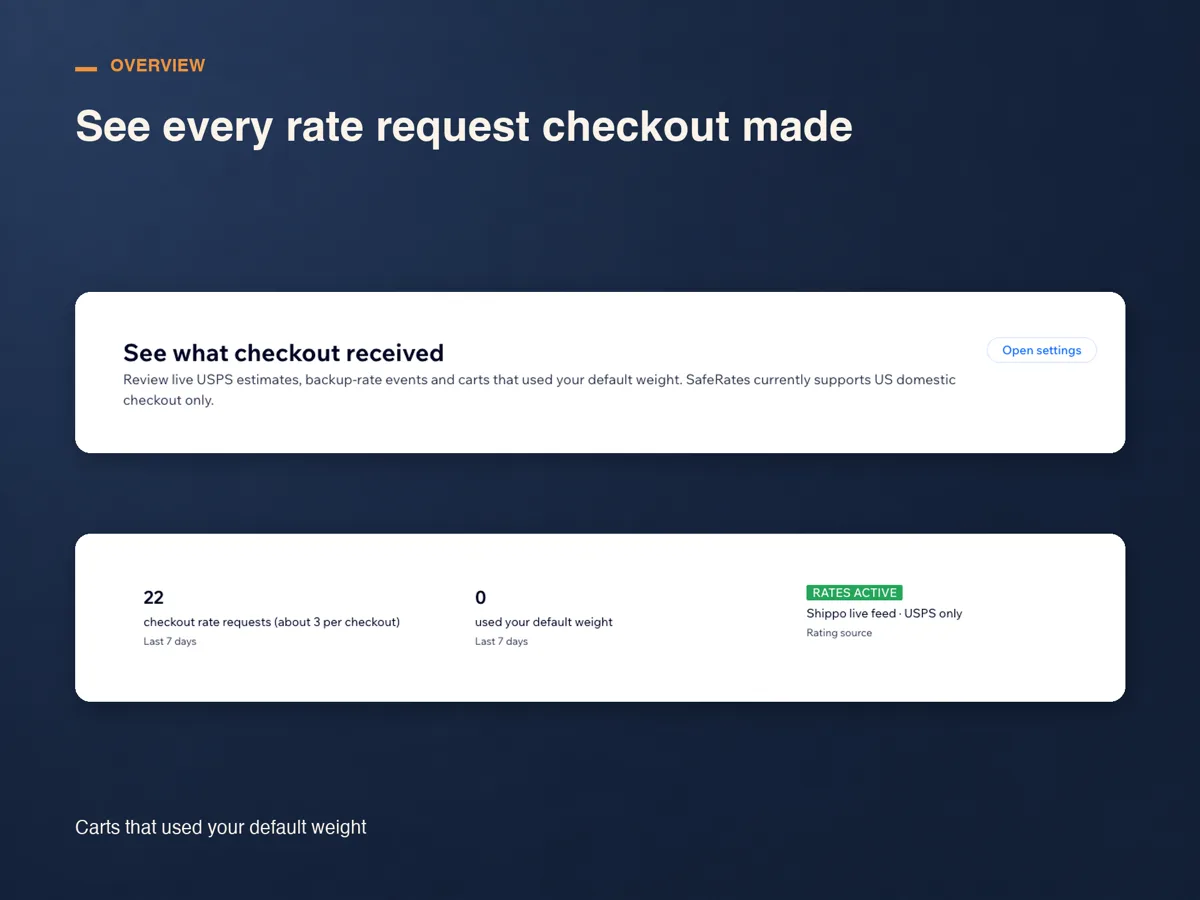
Overview lists every request checkout made, with its destination, result, the lowest price a shopper saw and the response time, beside a counter for carts that used your default weight.
Addresses this does not cover
SafeRates rates US domestic checkouts. A delivery address outside the US gets no option, and Overview marks that request US destinations only; if the address you ship from is outside the US, the row says that instead.
Military addresses do get rates, with a note on the delivery estimate, military mail, transit varies, because an APO, FPO or DPO parcel is handed to the military postal service at the gateway.
A PO Box has no special rule. It is rated on its ZIP like any other US address, and nothing in the app checks whether the service a shopper picks can be delivered to a box.
What it costs, and what it will not do
SafeRates runs for 14 days from install with no plan and no card. After that there is one plan, Standard: US$29 a month, or US$24 a month billed yearly, charged through Wix.
It returns USPS services only, for US domestic checkouts, and connects no carrier account of yours, so the prices hold no negotiated discount and are estimates rather than a promise of a later label price.
Frequently asked questions
What weight does it use if a product has none?
The default shipment weight you saved in Settings, and Overview flags that request for having used it. Without a default saved, the cart gets no SafeRates option, and the row says there was no product weight and no default weight.
Does the box size matter?
Wix sends no product dimensions in this rate request, so every estimate uses the parcel saved in Settings, and a standard 12 × 9 × 6 in box until you save your own.
Can I keep my rate by weight rule as well?
You can, but Wix shows every option the region offers, so the two sit side by side and shoppers usually take the cheaper one.
What does it cost?
Fourteen days from install with no card, then US$29 a month, or US$24 a month billed yearly, on the Standard plan and billed through Wix. Cancel during the trial and nothing is charged.
See SafeRates on the Wix App Market
See SafeRates on the Wix App Market