
Free shipping over a set amount, live USPS rates below it
Free shipping sells, and it costs exactly what the label costs. The usual compromise is a floor: free over some order total, real postage below it.
The two rules you are combining
The free half is built in. Adding a rate to a region, you "Select Free Shipping from the drop-down," then "Enter a name in the Name at checkout field (e.g. Free Shipping)" for what the shopper reads. The conditional form is not a separate rule but a checkbox on another rate: "Offer free shipping when a customer buys over a certain amount."
The paid half is the live rate: "Using third-party apps, you can offer real-time shipping rates on your site," and then the switch everybody misses, "You must enable the app in each region where you want customers to see it."
The two are not alternatives. Both can be on in the same region at once, which is the only reason a threshold works at all.
How checkout evaluates the two
Wix does not rank them and pick a winner. It matches the address to a region, collects every option that region offers and hands the list to the shopper: "Customers can select the shipping option they prefer in the Cart (if enabled) or on the Checkout Page."
So the filtering is done by the threshold, not by a priority setting. Below it the free rule does not apply and the USPS options stand alone. Above it, free appears in the same list beside them.
A free rule with no condition is in the list for every cart, so it wins every time and the live rates are never chosen. An unconditional flat rate priced below postage does the same thing, more quietly.
Setting it up
SafeRates is our Wix app. It answers the checkout rate request with live USPS estimates for US domestic orders.
Put a weight on every product
Live rates price a parcel, so a product with no weight leaves nothing to price. A cart holding one gets no SafeRates option unless a default shipment weight is saved in Settings.
Turn SafeRates on in the region that covers the US
The current version does this step from the Overview screen: one button adds SafeRates to that region and leaves your own shipping rules alone. A site installed before that release has to update from Manage Apps first.
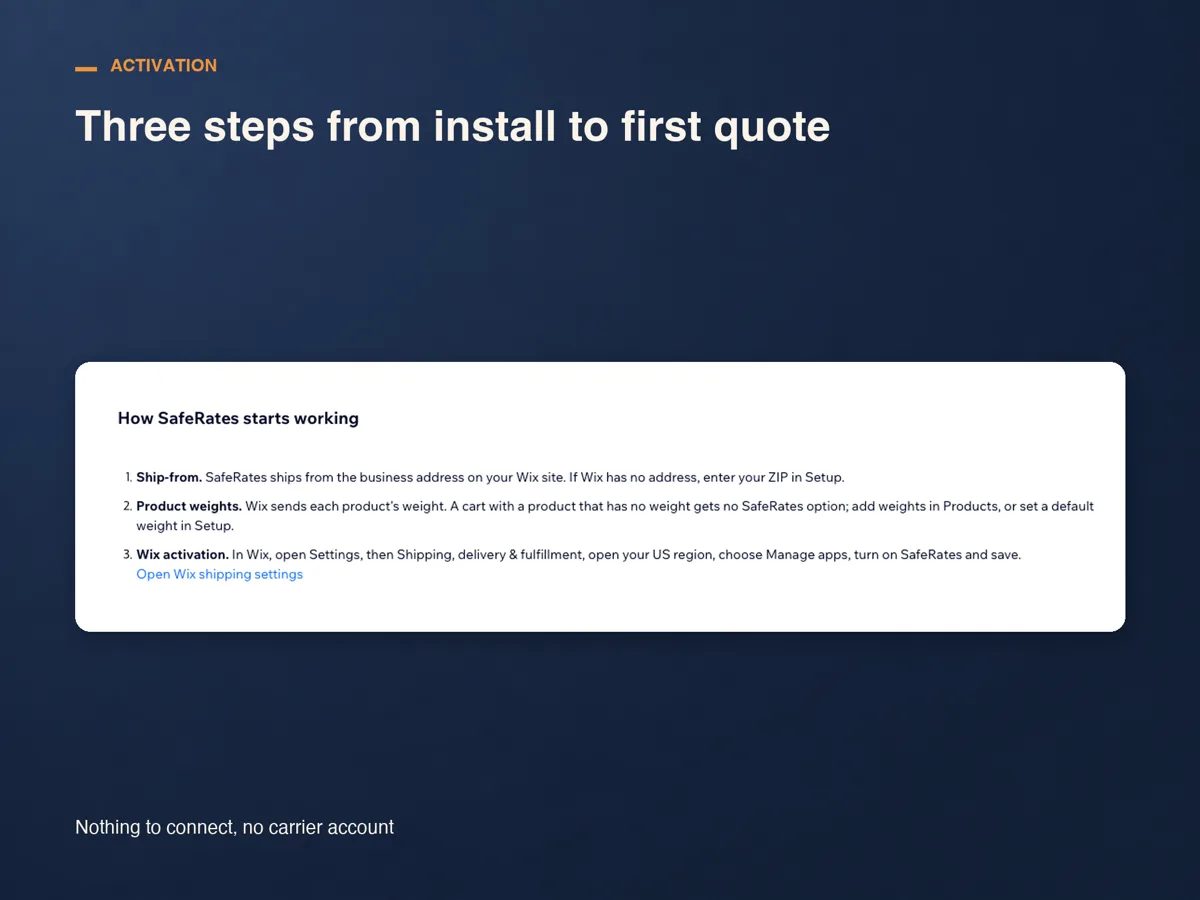
Add the free rule with its condition, in the same region
Open the rate that will carry the threshold and tick Offer free shipping when a customer buys over a certain amount. If you mean free for everyone, add a standalone Free Shipping rule instead.
Check the ship-from ZIP and the box
SafeRates quotes from the business address on your Wix site, and the current version fills the ZIP in from it. Wix sends no product dimensions in a rate request, so estimates use the parcel you save in Settings, or a standard 12 × 9 × 6 in box.
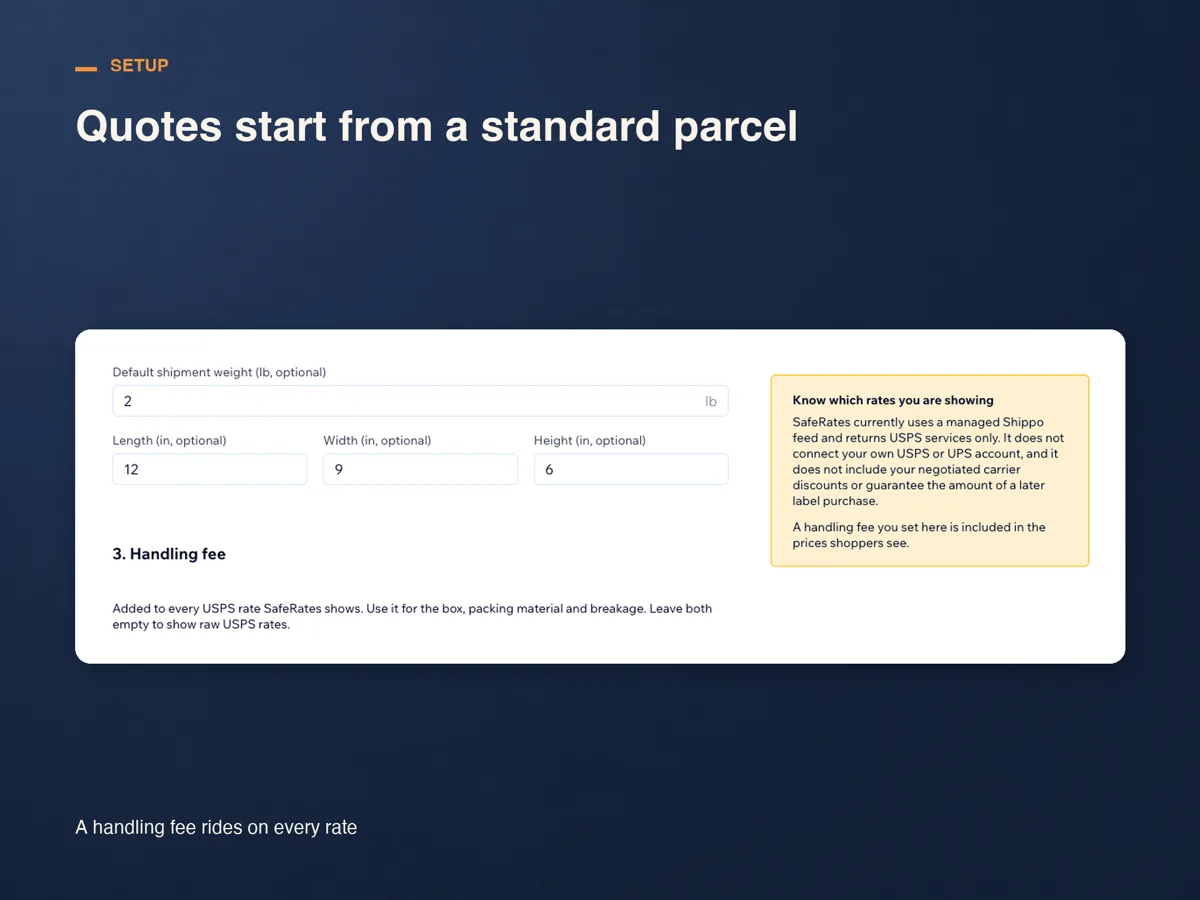
Test on both sides of the line
Check out once with a cart under the threshold and once over it. Under it you should see up to three USPS services; over it, the free option standing in the same list.
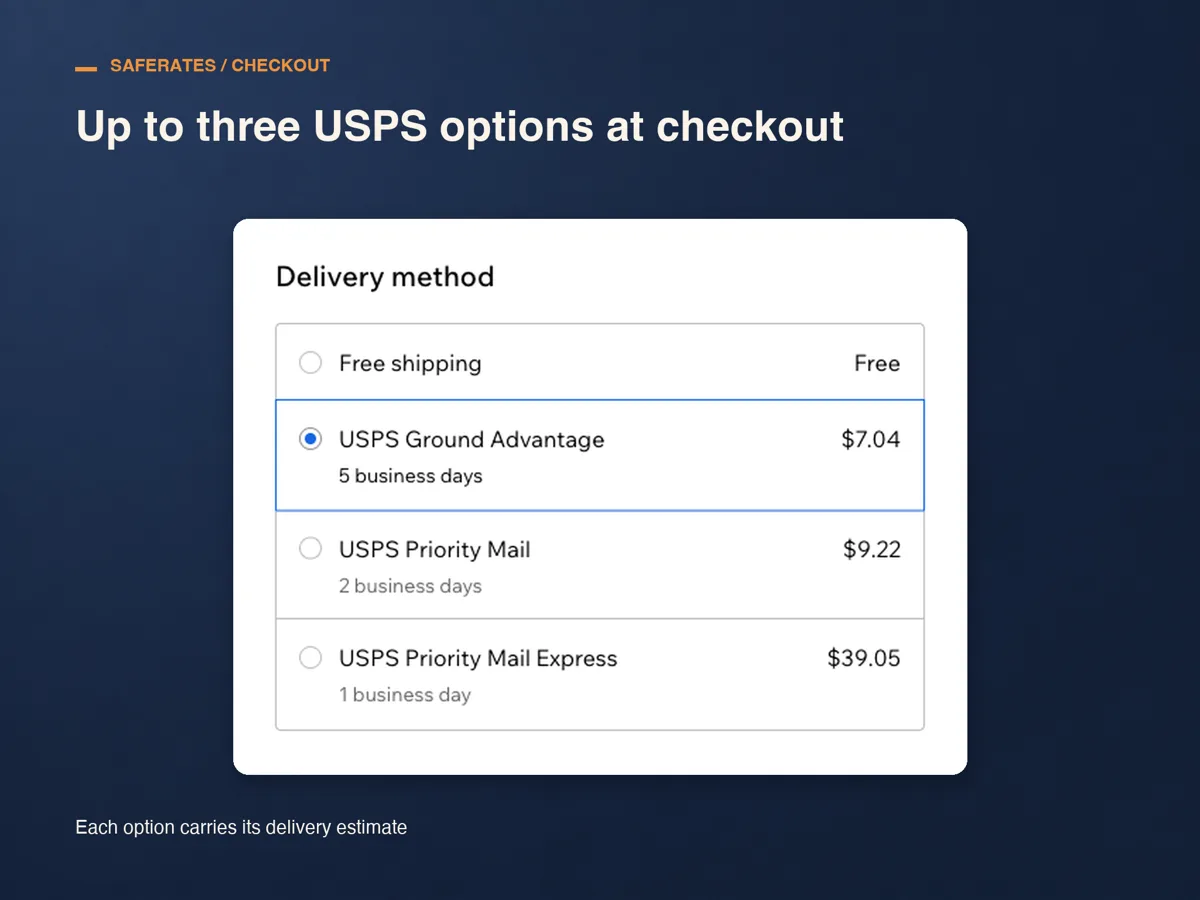
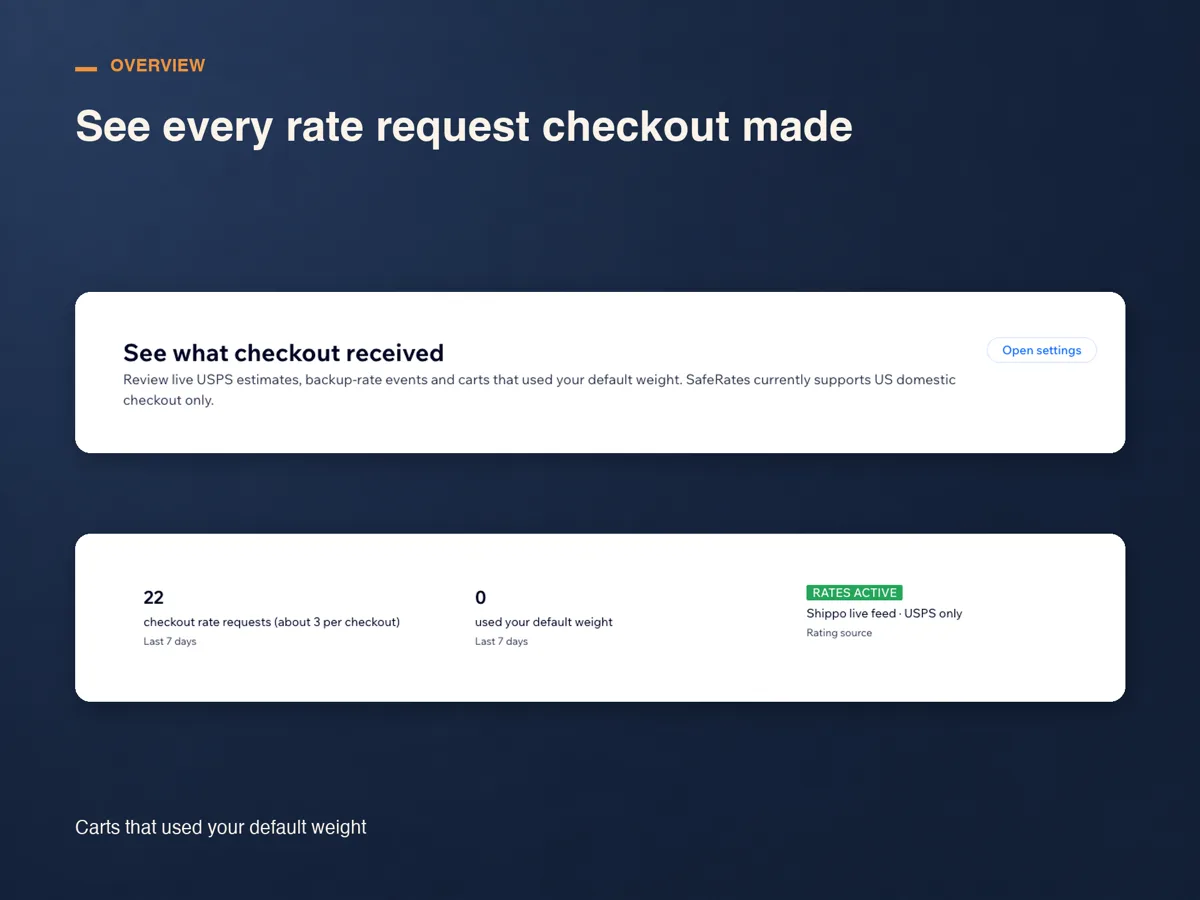
The arithmetic, worked through
The numbers below are an example, written to show how the arithmetic runs. They are not measurements from a real store.
Say you ship from Massachusetts and your average parcel is 3 lb. USPS Ground Advantage runs roughly $9 to a nearby state and $13 across the country, so call it $11 on average. Gross margin is 40%.
At a $75 threshold, each free order gives up $11 of a $30 gross margin, leaving $19. At $50, the same $11 comes out of $20 and leaves $9. Below the line nothing is given away, because the shopper pays the live rate.
Picking the number, in plain words
Divide your average parcel cost by your gross margin and you get the order total at which shipping eats the whole margin: $11 over 40% is about $28. Ship free below that and the order loses money outright.
Then set the threshold above it, far enough that the gap covers the packaging, the payment fee and the time. The other half of the arithmetic is the lift: set it far above your average order and nobody moves, and only your largest orders ship free.
What it costs, and what it will not do
SafeRates runs for 14 days from install with no plan and no card. After that there is one plan, Standard: US$29 a month, or US$24 a month billed yearly, charged through Wix.
It returns USPS services only, for US domestic checkouts, and connects no carrier account of yours, so the prices hold no negotiated discount. It cannot read or change your shipping rules either, so the free rule and its threshold stay yours to move.
Frequently asked questions
Will shoppers over the threshold still see the USPS prices?
Yes, in the same list as the free option. Most take the free one; someone in a hurry can pay for a faster service.
Can the app apply the threshold itself?
No. SafeRates returns rates and nothing else, and it cannot read or change your shipping rules. The threshold belongs to a Wix rule in the same region.
My free rule applies to every order. What now?
Then it wins every cart and the live rates are never chosen. Tick the over-a-certain-amount condition on a rate, or remove the unconditional free rule.
What does it cost?
Fourteen days from install with no card, then US$29 a month, or US$24 a month billed yearly, on the Standard plan and billed through Wix. Cancel during the trial and nothing is charged.
See SafeRates on the Wix App Market
See SafeRates on the Wix App Market