
Show live USPS shipping rates at checkout on a Wix store
A flat shipping rate is a bet you place before you know the parcel. Charge $8 on everything and the 1 lb mug going across town pays too much, while the 12 lb box to Alaska costs you more than the buyer handed over.
Live rates remove the guess. When a shopper enters an address, checkout asks a carrier what that parcel costs right now and shows the answer. Here is what Wix Stores already does on its own, then five steps to live USPS rates with SafeRates.
Where one flat rate starts to hurt
Most stores start with a flat rate because it takes a minute to set up, and it holds until the orders stop looking alike. Weight, box size and distance each move the real postage, and one number cannot follow three moving parts.
The workarounds are all manual. Some merchants keep a spreadsheet of postage by zone and redo it whenever the carrier raises prices. Some quote high to stay safe and watch carts die at the shipping step. Others absorb the gap on heavy orders and only notice when the month's postage bill no longer matches the shipping income.
What Wix Stores already gives you
Wix Stores ships with five rate rules you fill in yourself: Free Shipping, Flat Rate, Rate by Weight, Rate by Price and Rate by Quantity. For many catalogs that is enough, and it is worth setting up properly before reaching for an app.
Wix also has a native real-time option. Its help center lists "Real-time shipping in the US or Brazil" and, for the US, a USPS calculator that provides "approximate, dynamically calculated shipping rates based on the weight and dimensions of the order, and on the shipping cost to and from addresses." USPS there "is used for calculation purposes only" — you can still ship with whatever carrier you like.
Two limits are worth knowing first. Wix states that calculator "is available for merchants based in the U.S selling in USD (except Puerto Rico)," and recommends entering "a backup weight and rate" for when no rate comes back mid-checkout.
Past that, Wix points at apps: "Using third-party apps, you can offer real-time shipping rates on your site." Either route needs the step people miss — you must "enable the app in each region where you want customers to see it." Until that switch is on, checkout never asks for a rate.
Five steps to live USPS rates with SafeRates
SafeRates is our Wix app. It answers the checkout rate request with live USPS estimates and records every request it handles.
Install it and turn it on for your US region
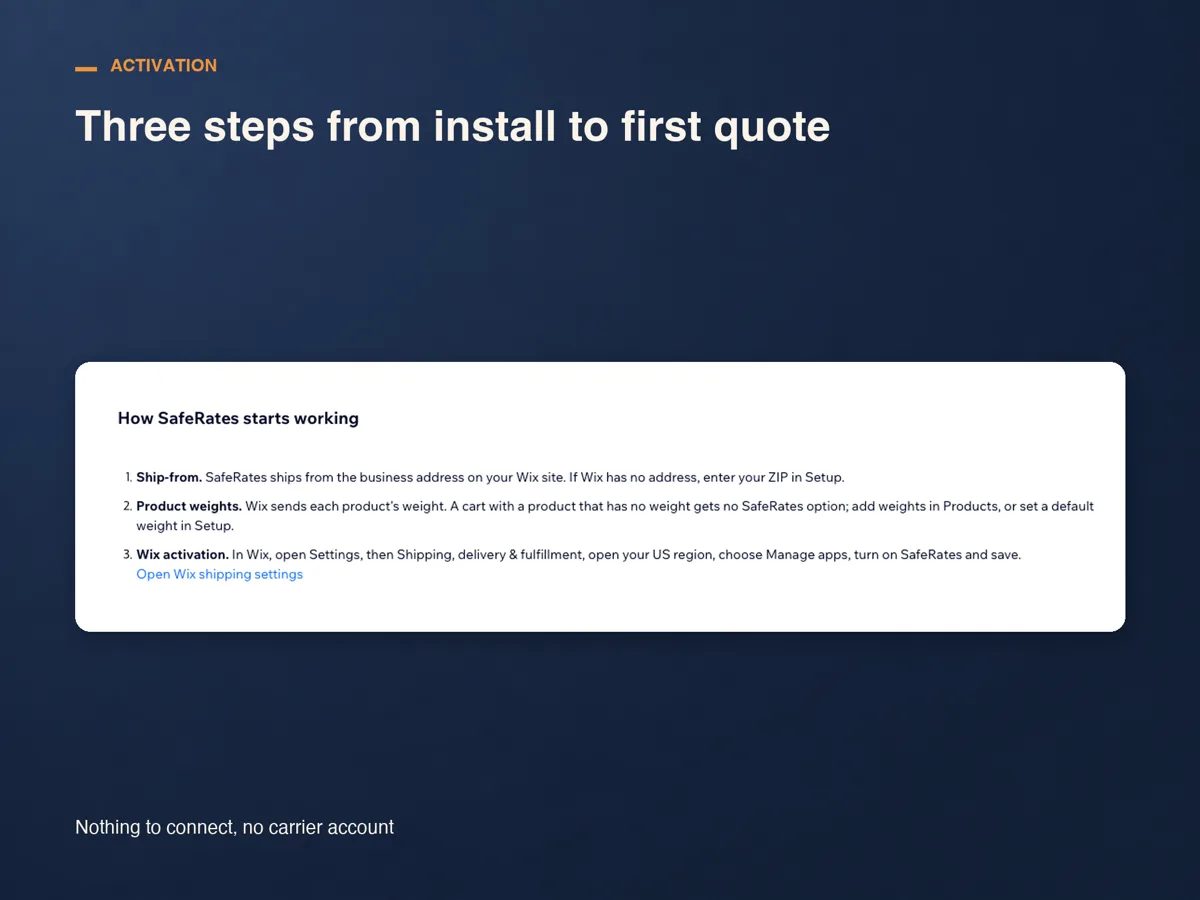
Install from the App Market, then open Settings, Shipping, delivery & fulfillment. Open your US region, usually named Domestic, choose Manage apps, turn SafeRates on and save. Installing alone does nothing; this switch is what makes checkout ask.
Check where you ship from
SafeRates quotes from the business address on your Wix site, so the distance half of the price is already right. If that address is empty, enter the ZIP you ship from in SafeRates Settings.
Set a parcel, a default weight and a backup rate
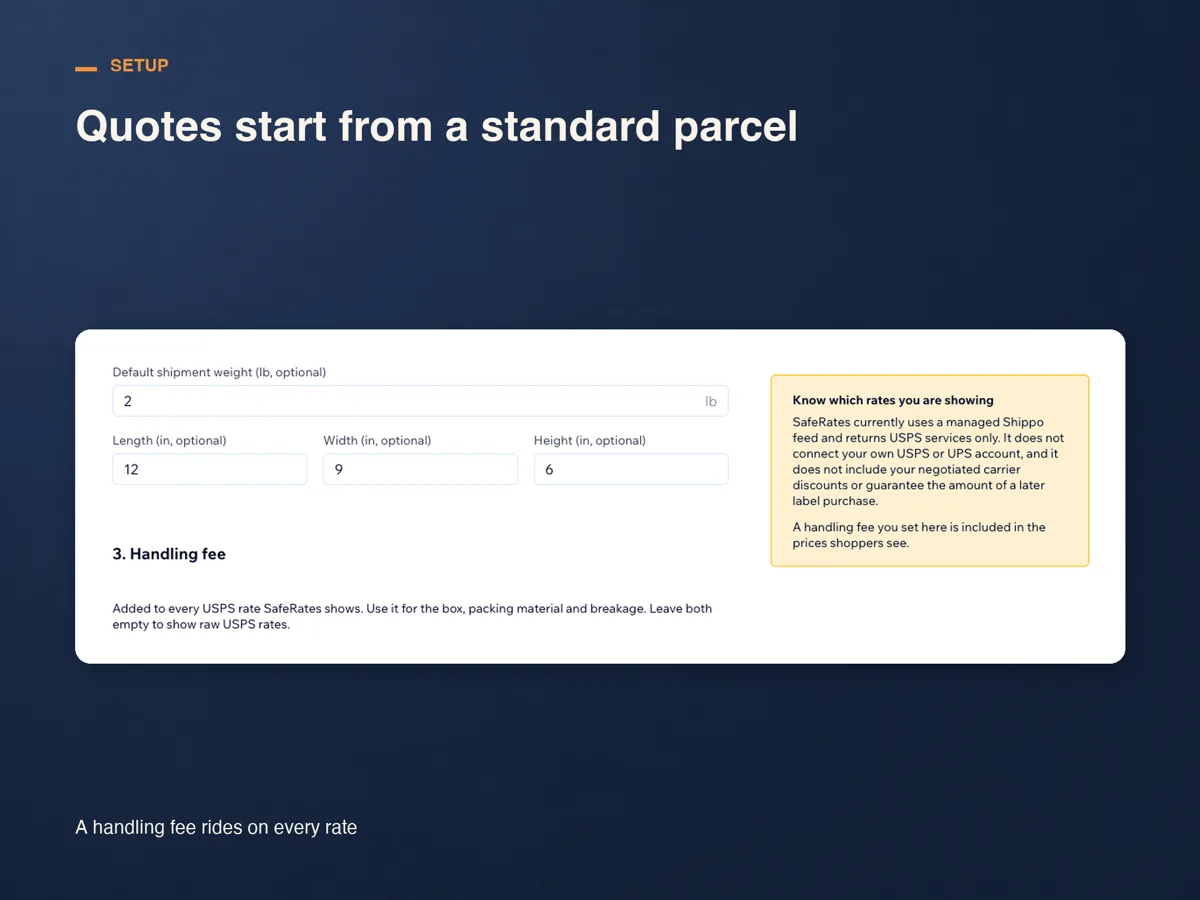
Quotes start from a standard 12 × 9 × 6 in parcel until you save your own dimensions. A default weight keeps an option alive when a cart holds a product with no weight, and a backup flat rate keeps one on screen if the live feed fails. Both are optional, and both stop a shopper seeing nothing.
Run a test checkout
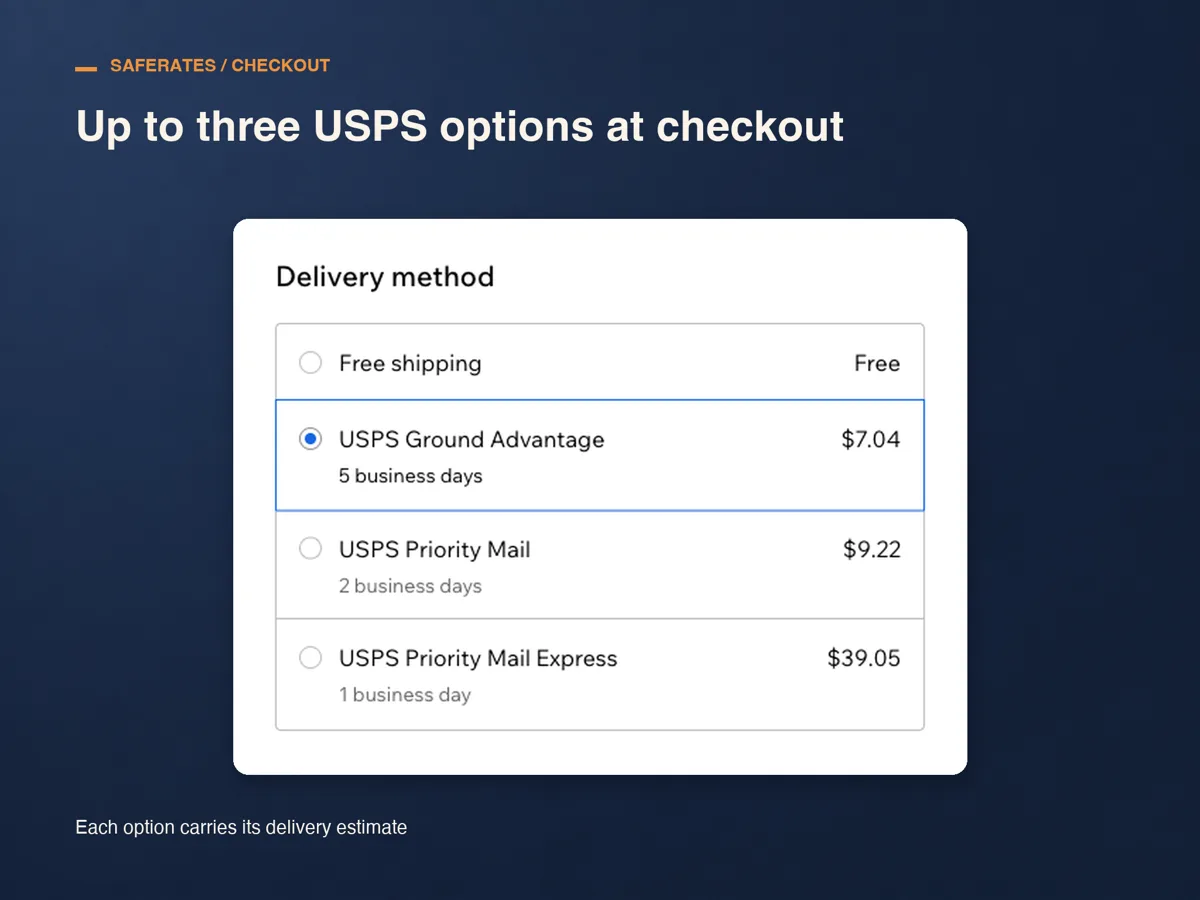
Put something in the cart, check out to a US address and look at the delivery options. You should see up to three USPS services, each with its delivery estimate next to the price.
Watch the first real requests
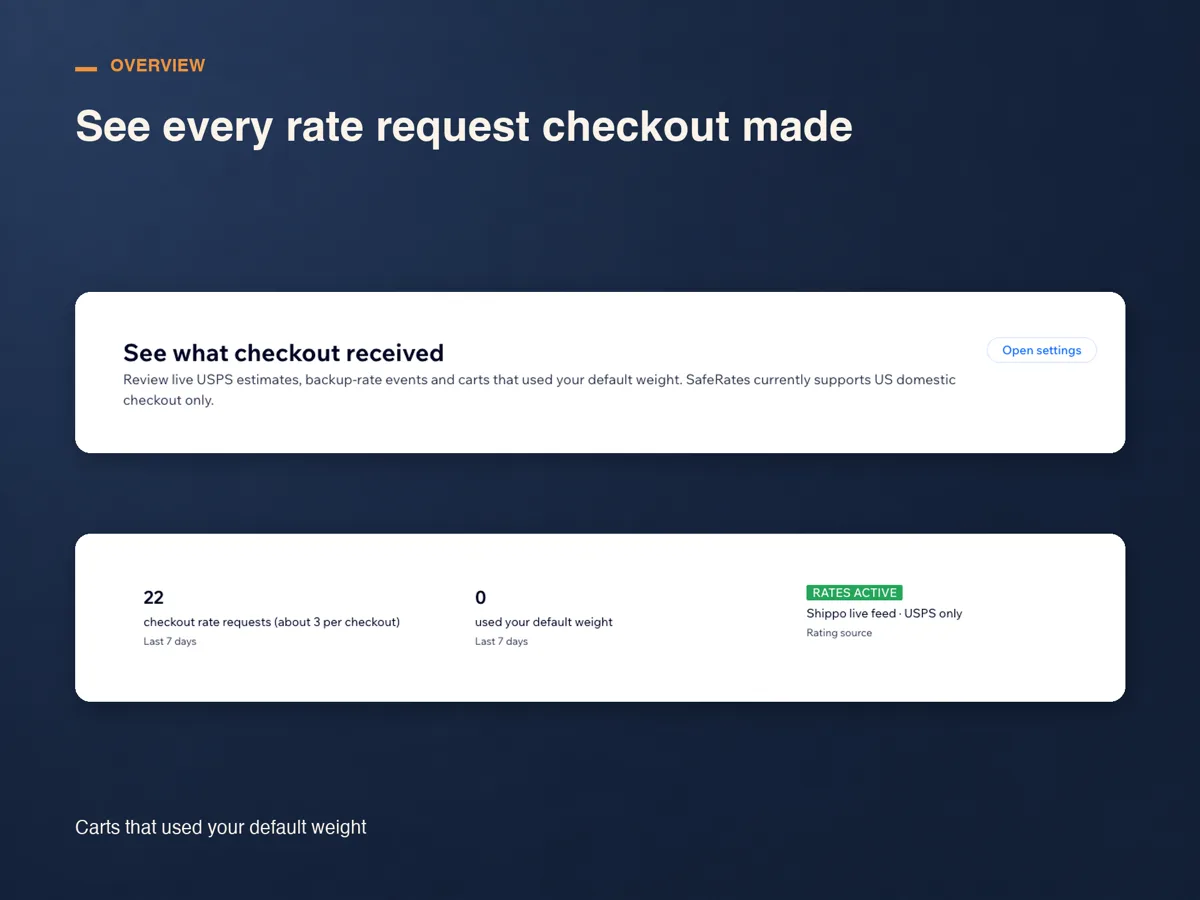
Overview lists every rate request checkout made, with its destination, result, options returned, the lowest price a shopper saw and the response time, beside a counter for carts that fell back to your default weight. If rates look wrong, the reason is here.
What it costs, and what it will not do
SafeRates runs for 14 days from install with no plan and no card. After that there is one plan, Standard: US$29 a month, or US$24 a month billed yearly, charged through Wix.
The limits are deliberate. SafeRates returns USPS services only, for US domestic checkouts. It does not connect your own carrier account, so the numbers carry no negotiated discount and are estimates rather than a promise of what a label costs later. It does not buy or print labels, and it cannot read or change the other shipping rules in your region.
That last point matters in practice: Wix shows every option a region offers, so a free shipping rule sitting beside live rates is usually the one shoppers pick.
Frequently asked questions
What does it cost?
Fourteen days from install with no card, then US$29 a month, or US$24 a month billed yearly, on the Standard plan and billed through Wix. Cancel during the trial and nothing is charged.
What happens if the live rate does not come back?
The backup flat rate you saved goes out instead, so checkout still shows a delivery option rather than nothing, and the request is logged with its reason on Overview. Wix recommends the same safeguard for its own USPS calculator.
Does it account for packaging weight?
Quotes use the weights Wix sends for the cart plus the parcel you saved, starting from a standard 12 × 9 × 6 in box. For packaging and handling, add a handling fee, fixed or a percentage, and shoppers see it in the price. A product with no weight falls back to your default weight, and that request is flagged.
Does it handle international orders?
No. SafeRates covers US domestic checkouts and stays out of international ones, where customs and duties change what a correct quote even means. Keep your existing rules for those regions.
See SafeRates on the Wix App Market
See SafeRates on the Wix App Market