
Warn Wix members before a pricing plan auto-renews
A yearly membership renews on a Tuesday morning. The card is charged, the receipt goes out, and the first your member hears of it is a line on a bank statement. A few write in to ask what it was. One or two ask for the money back.
Wix sends plan members a short list of emails, and none of them arrives before that charge. Here is what is built in, and how to put a notice in front of every renewal with an automation you control.
The charge nobody warned them about
The complaint is almost never about the price. It is about the surprise. A member who knew a month ago what the date was and what it would cost had time to decide, and mostly decides to stay. A member who finds out afterwards has one move left, and it is a refund request.
Sites selling memberships into the UK and the EU hear this first, because buyers there expect a heads-up before a subscription renews and say so when it does not come. On the Wix forum the same thread has run for months: two membership merchants describing members who were never told about the auto-renew, and a developer answering that a renewal reminder takes custom code.
The workarounds merchants describe in that thread are manual and, in their own word, cumbersome. The other move is to switch auto-renew off and chase every renewal by hand.
What Wix sends on its own
Start with what is there. Wix's help pages list the automatic emails a pricing plan customer receives: when they purchase a pricing plan, when a plan they own is about to expire, when a plan they own expires, when a plan they own is canceled, and when a free trial for a plan is about to expire.
Read that list against an auto-renewing plan and the hole is obvious. Four of the five fire when something ends and the fifth when something begins, and a plan that renews itself never ends. Wix says the same thing plainly on another page: customers "do not receive additional notifications, such as updates on the number of sessions remaining, renewal reminders, or information about changes".
Your own notifications are no earlier. You hear when a plan is bought and when one is canceled, which is after the money has moved. To send something before it moves you need an automation, and an automation needs a trigger that fires ahead of a date in the future.
Four steps to a notice before every renewal
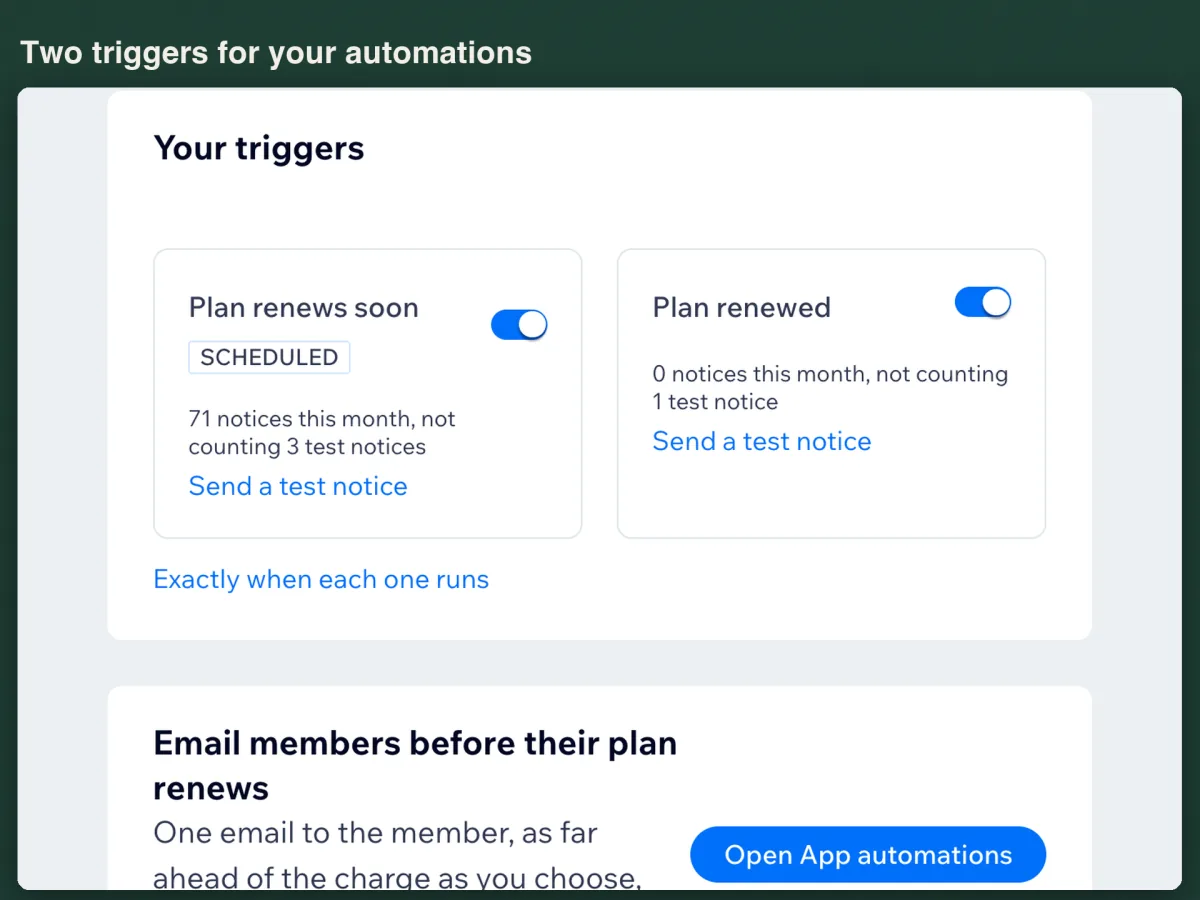
Plan Renewal Notice is our app. It is one page in your dashboard, and what it does is put two triggers in your automation builder. The email to the member is sent by your site's automation, not by us.
Install it and read the coverage line
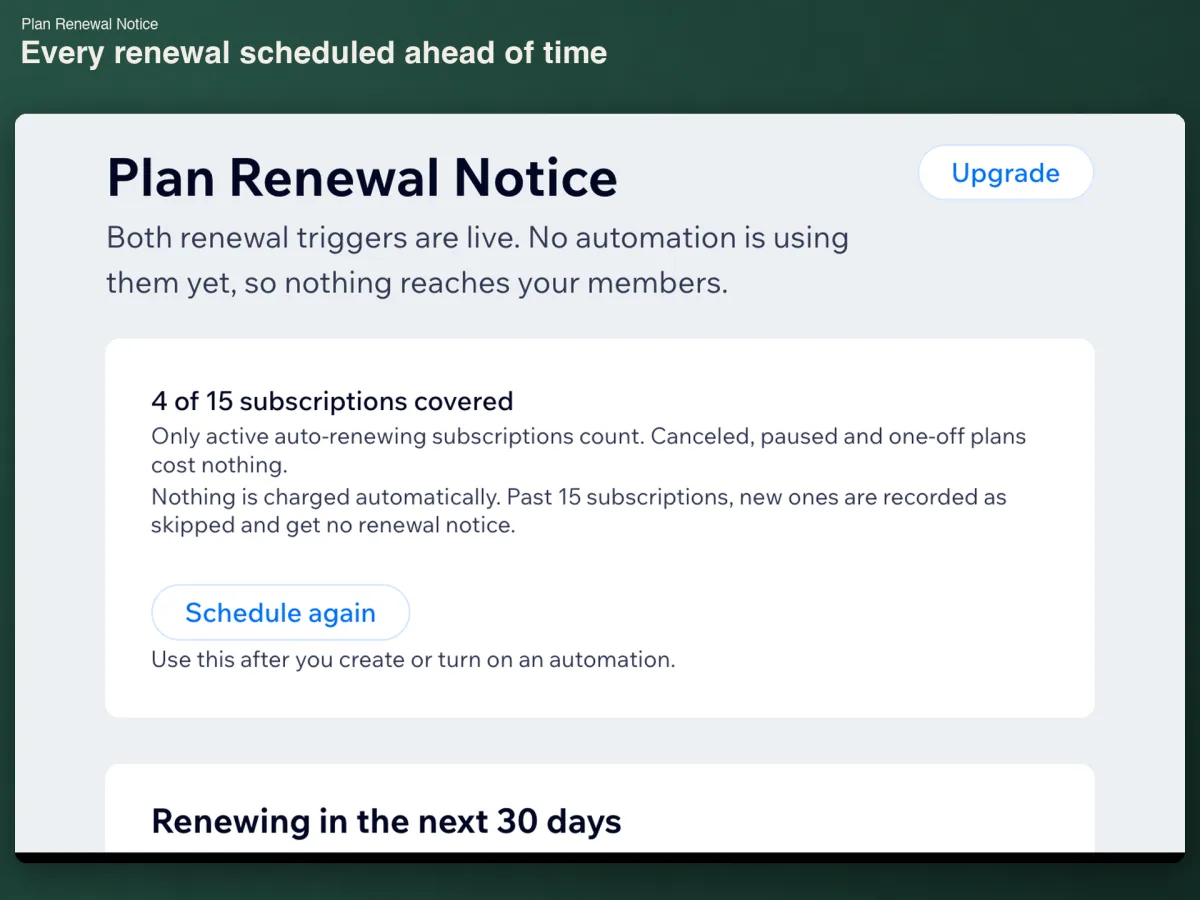
Install from the App Market and open it from your dashboard. Within a minute every active auto-renewing subscription on the site is scheduled, with nothing to connect and nothing to type. The home screen opens on the number of subscriptions covered, the rule for what counts, and the renewals due in the next 30 days.
Turn on the automation that came with it
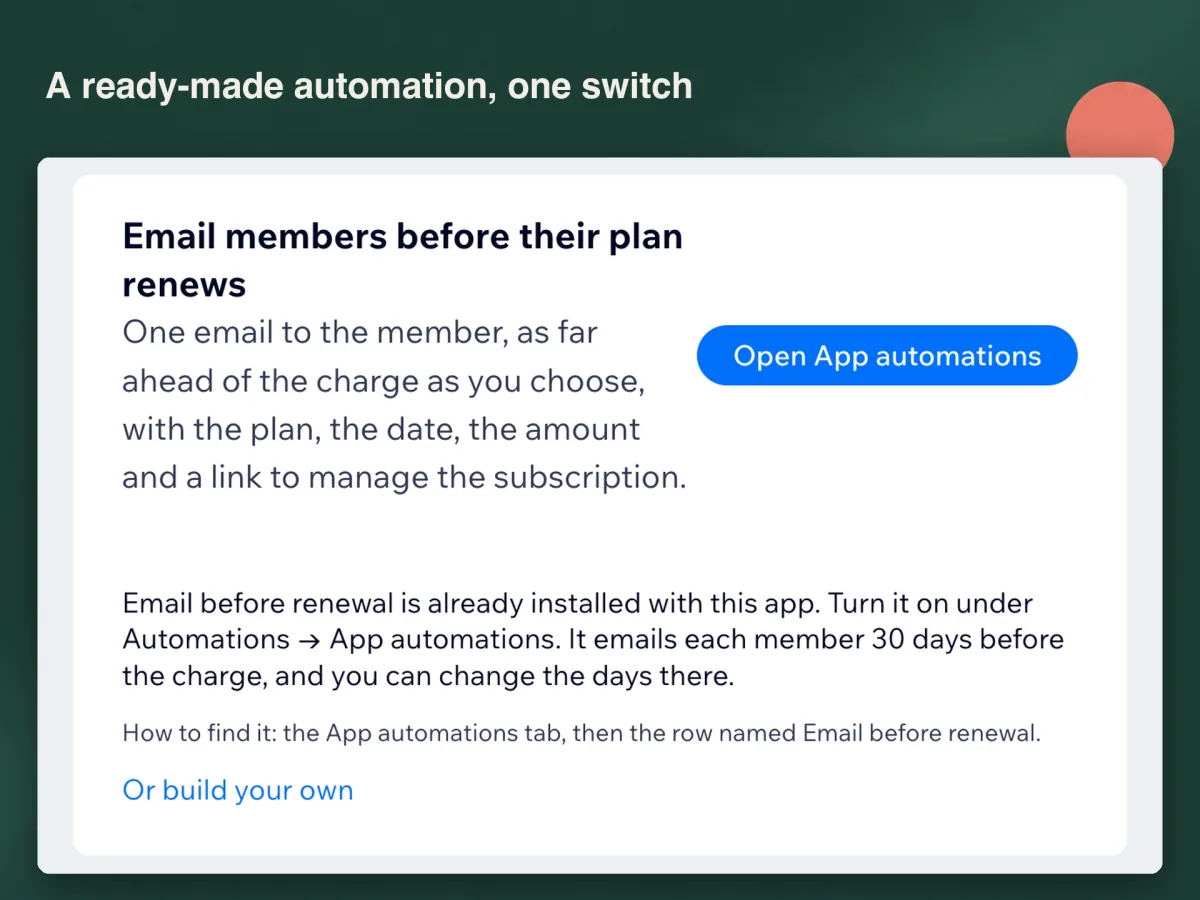
An automation named Email before renewal installs with the app and sits on the App automations tab, the one Wix keeps for "automations created automatically when you've installed apps". It ships switched off. Open Automations in your dashboard, choose that tab, open the menu at the end of the row and choose Activate. It emails each member 30 days before the charge, and the number of days is yours to change there.
Or build your own and write the email yourself
In Automations, click + Create Automation and pick the Plan renews soon trigger. Set it to run ahead of the event: Wix's own instruction is to "enable the toggle to choose how long before the trigger the automation should start running", and the days run to 365. Choose Send an email to the member's contact, then use Customize to drop in the plan name, the renewal date, the amount, the currency, the billing cycle and a link to the member's subscriptions. Activate it. Button names follow your dashboard language.
Send a test notice before you trust it
Each trigger card has a test. It takes your most recent subscription, schedules a sample renewal two minutes out and lets it run, so what you watch is the real automation sending a real email to that member. The card counts what went out this month and keeps test notices apart. One thing to hold on to: the app reports the renewal moment and your automation decides the lead time, so the notice goes out at the renewal date minus the days you chose.
What the activity log tells you
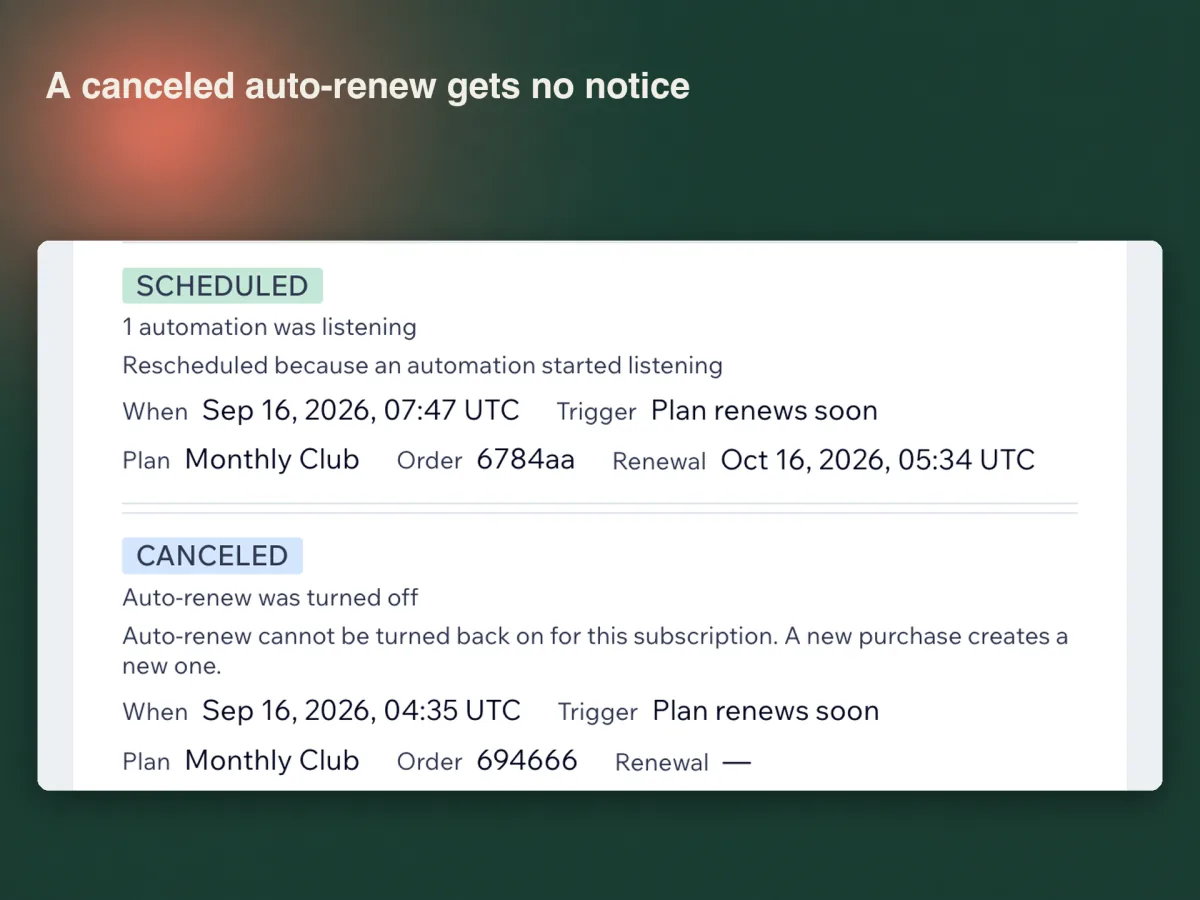
Every decision the app makes is a row in the activity log: scheduled, renewed, canceled, skipped or failed, with the plan, the order and the renewal date beside it.
Canceled is the row that protects you. When a member switches auto-renew off, or you cancel, pause or end a subscription, the scheduled notice is called back within a minute, so nobody is warned about a charge that is not coming. If a notification never reaches the app, a daily check finds it. Two details are worth knowing: auto-renew cannot be switched back on for a subscription once a member turns it off, and a paused subscription publishes no resume date, so nothing is scheduled until it resumes.
What it costs, and what it will not do
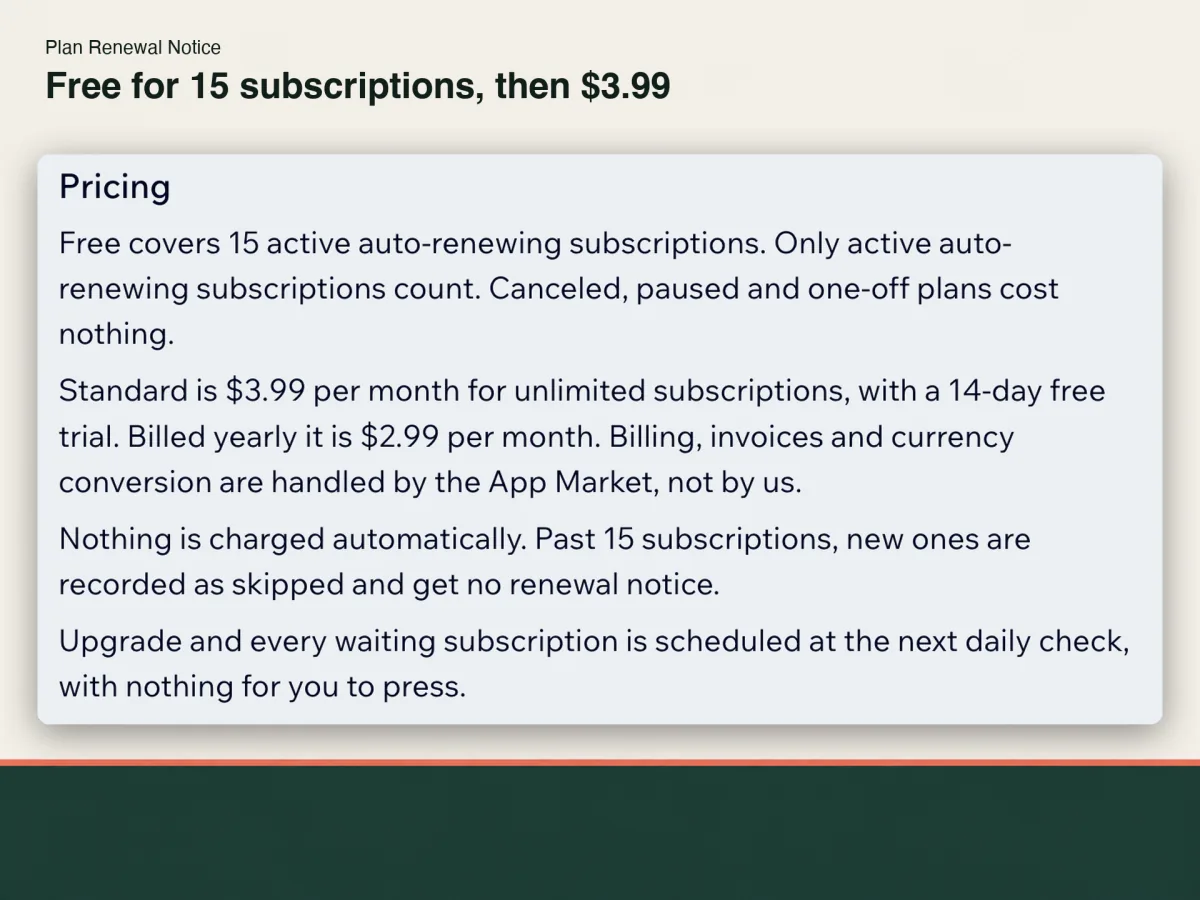
Free covers 15 active auto-renewing subscriptions. Only active auto-renewing ones count: canceled and paused subscriptions and one-off plans cost nothing. Standard is $3.99 a month for unlimited subscriptions, or $2.99 a month billed yearly, with a 14-day free trial.
Nothing is charged automatically. Past 15 subscriptions the new ones are recorded as skipped and get no notice, and after an upgrade they are scheduled at the next daily check with nothing for you to press.
The limits are deliberate. The app does not send email itself, does not change a plan, a price or a subscription, and cancels nothing. It stores order ids, plan names, contact ids and cycle dates, never member names, email addresses or card details; log rows are deleted after 90 days, and removing the app deletes everything it held for your site.
Frequently asked questions
What does it cost?
Free covers 15 active auto-renewing subscriptions, counted as a standing number rather than per message. Standard is $3.99 a month for unlimited subscriptions, or $2.99 a month billed yearly, with a 14-day free trial. Billing runs through the App Market.
Does the app email my members?
No. It reports the renewal to your automations, and your own automation sends the email, from your site and under your sending limits. That is also why the wording and the design stay yours, with nothing to set up on our side.
A member turned auto-renew off. Do they still get a notice?
No. The scheduled notice is canceled within a minute and the log records why. One thing to know: auto-renew cannot be turned back on for that subscription, so a member who wants to keep it buys a new one.
I built the automation days after installing. Are the renewals already scheduled covered?
Yes. An automation only receives events reported after it was created, so the app spots the new automation, cancels each scheduled renewal and reports it again, logged as rescheduled. The daily check does the same for an automation built while the app was closed, and Schedule again does it on demand.
Can I get a refund?
Cancel during the trial and nothing is charged. After a charge, write within 14 days of it and we refund it in full. Cancel later and the next charge stops while the plan runs to the end of the period you paid for; on a yearly plan, the whole months left are refunded when you ask.
See Plan Renewal Notice on the Wix App Market
See Plan Renewal Notice on the Wix App Market