
When checkout shows no shipping options at all
A shopper reaches the delivery step and has nothing to choose. Sometimes the page says the store does not ship to their area; sometimes the price is simply missing.
What checkout is actually doing
Wix finds the shipping region that contains the address a shopper typed and shows what that region offers. A store starts with two of them: "Wix Stores comes with two regions already added: One for your own country (the "Domestic" region), and one for the rest of the world (the "International" region)."
If nothing in that region applies, the sale stops: "If there's no active shipping, local delivery, or pickup rule for a region, either setup in Wix or through a third-party shipping app, customers from that region cannot make purchases from your store."
The four native causes, in the order to check them
All four live in one screen: Settings, Shipping, delivery & fulfillment. Open it and read the region cards top to bottom before you open any app.
The region does not cover the address
Open the region that should contain the shopper's address. A region covering the US is sometimes built from a list of states rather than the country, and one missing state is an address with no region. Add the destination, or add a region for it.
The region has no rule for that order
Weight ranges that stop at 20 lb leave a 25 lb order with nothing, and a price rule with a floor leaves a small order with nothing. Open the last range upward, or keep one rate that catches every order.
A product in the cart has no weight
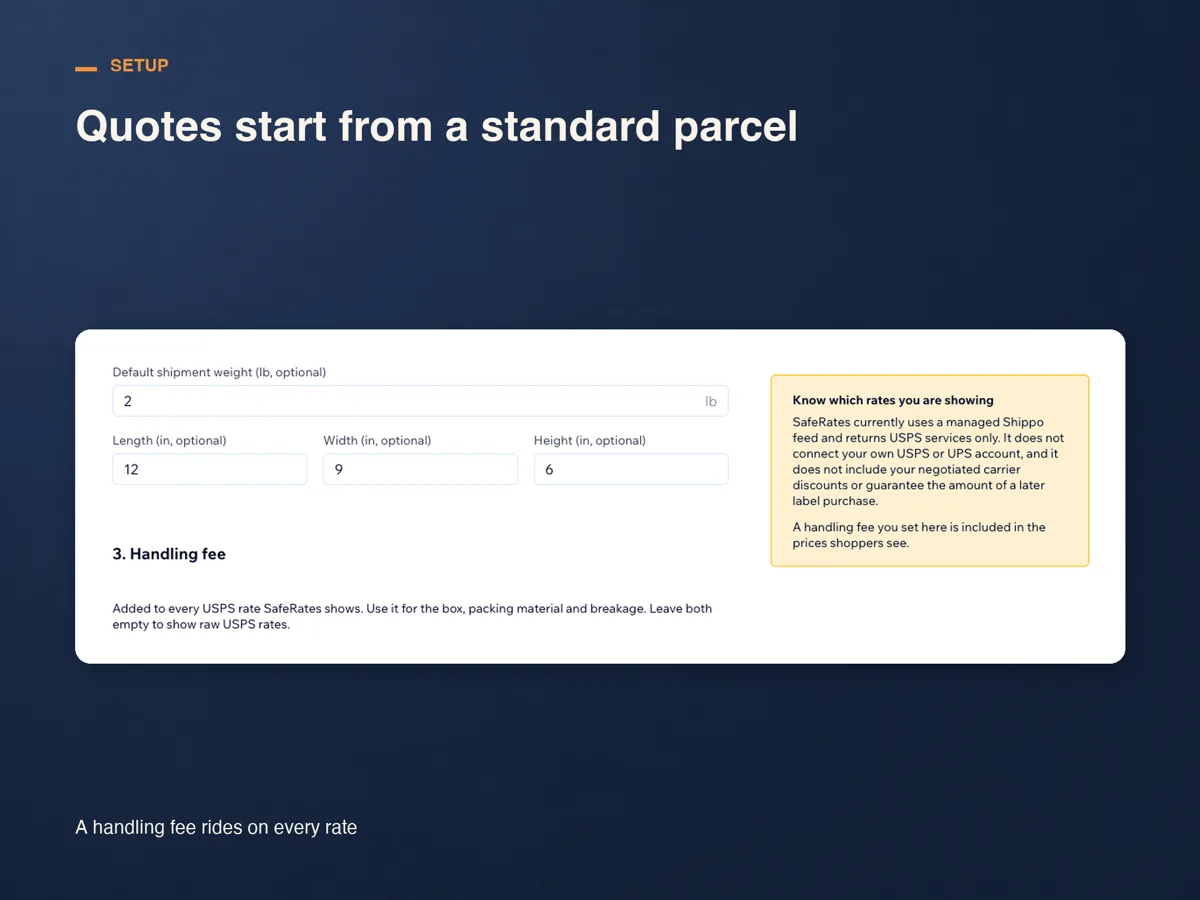
This one fails quietly. On its rate-by-weight page Wix notes: "If a product doesn't have a weight added, it's calculated as though it weighs 0." An order calculated at zero leaves a live-rate app no parcel to price, so the option comes back empty. Fill the weights in on Products.
The rate app is not switched on in that region
Installing an app does not put it in a region. Wix is explicit: "You must enable the app in each region where you want customers to see it." Open the region, choose Manage apps, turn the app on and save.
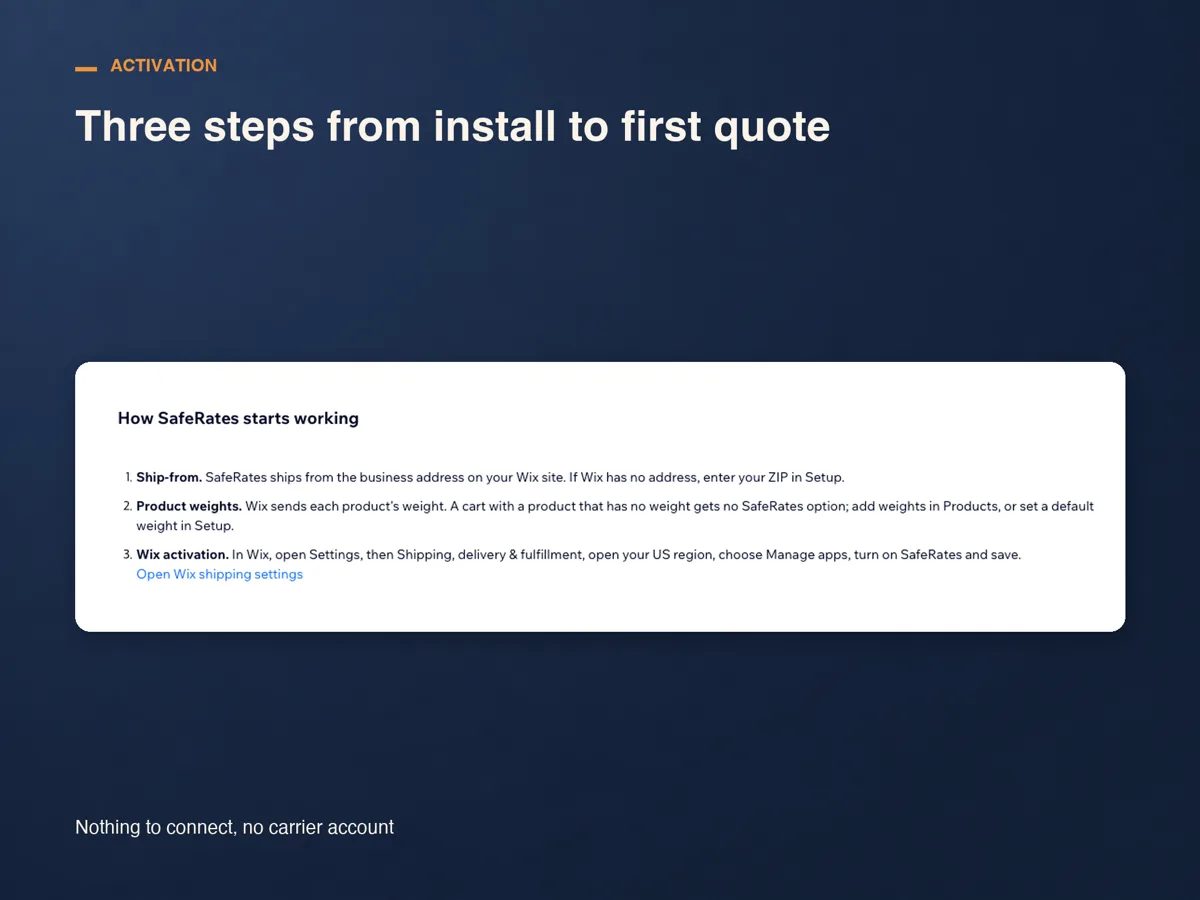
The SafeRates checks come after those
SafeRates is our Wix app. It answers the checkout rate request with live USPS estimates for US domestic orders, and records each request beside the reason it ended the way it did.
Check the ship-from ZIP
SafeRates quotes from the business address on your Wix site. The current version fills the ZIP in from that address and says where it came from, so you change it only if you ship from elsewhere. With neither an address nor a saved ZIP, the request is logged as no ship-from address.
Turn it on for your US region
The current version does the Wix step for you: one button on Overview adds SafeRates to the region covering the US and leaves your own shipping rules alone. A site installed before that release is asked to update from Manage Apps first, and a region switched off in Wix has to be turned on there.
Read the reason beside the empty request
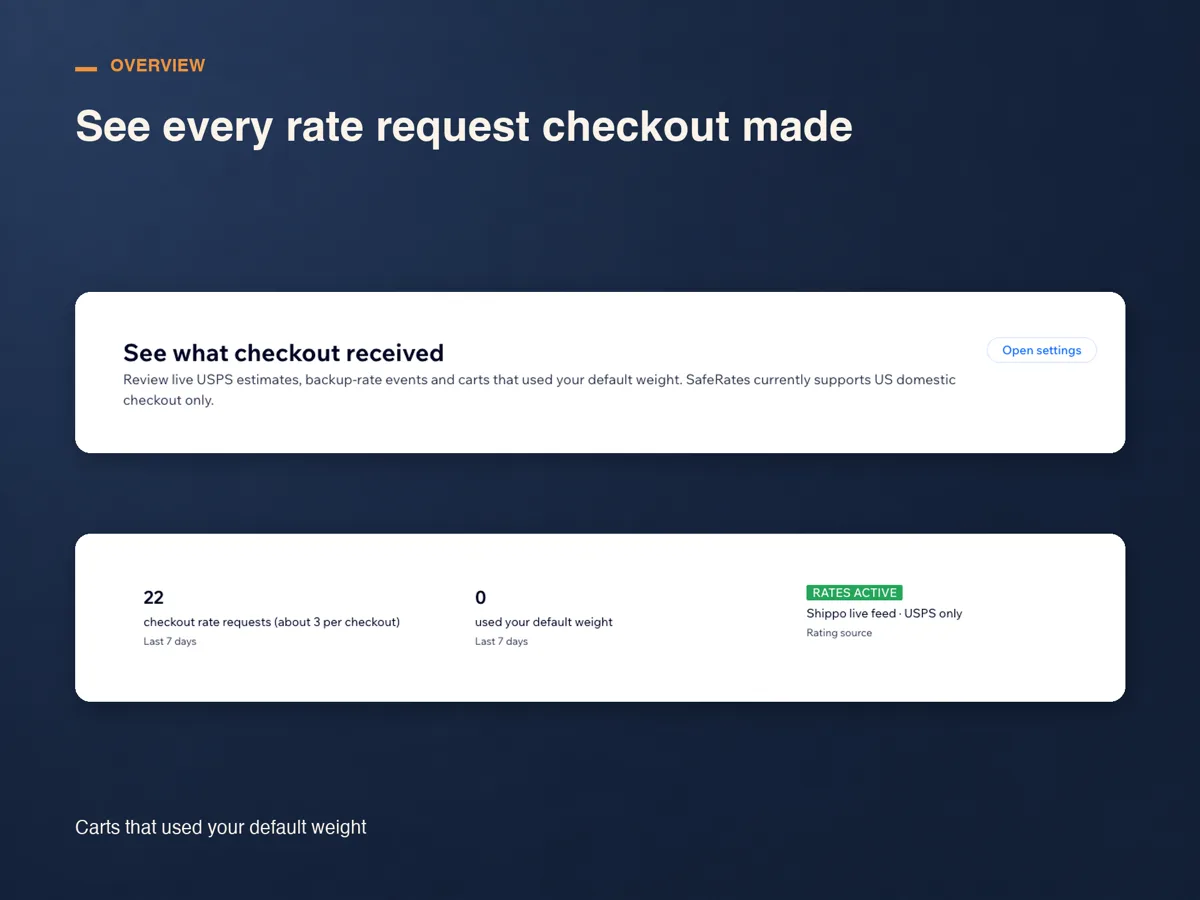
Overview lists each request with its destination, result and response time. One that carried no option names why: no product weight and no default weight, US destinations only, ship-from address outside the US, carrier feed failed with no backup rate saved, or free period ended with no plan confirmed.
What a test order should show
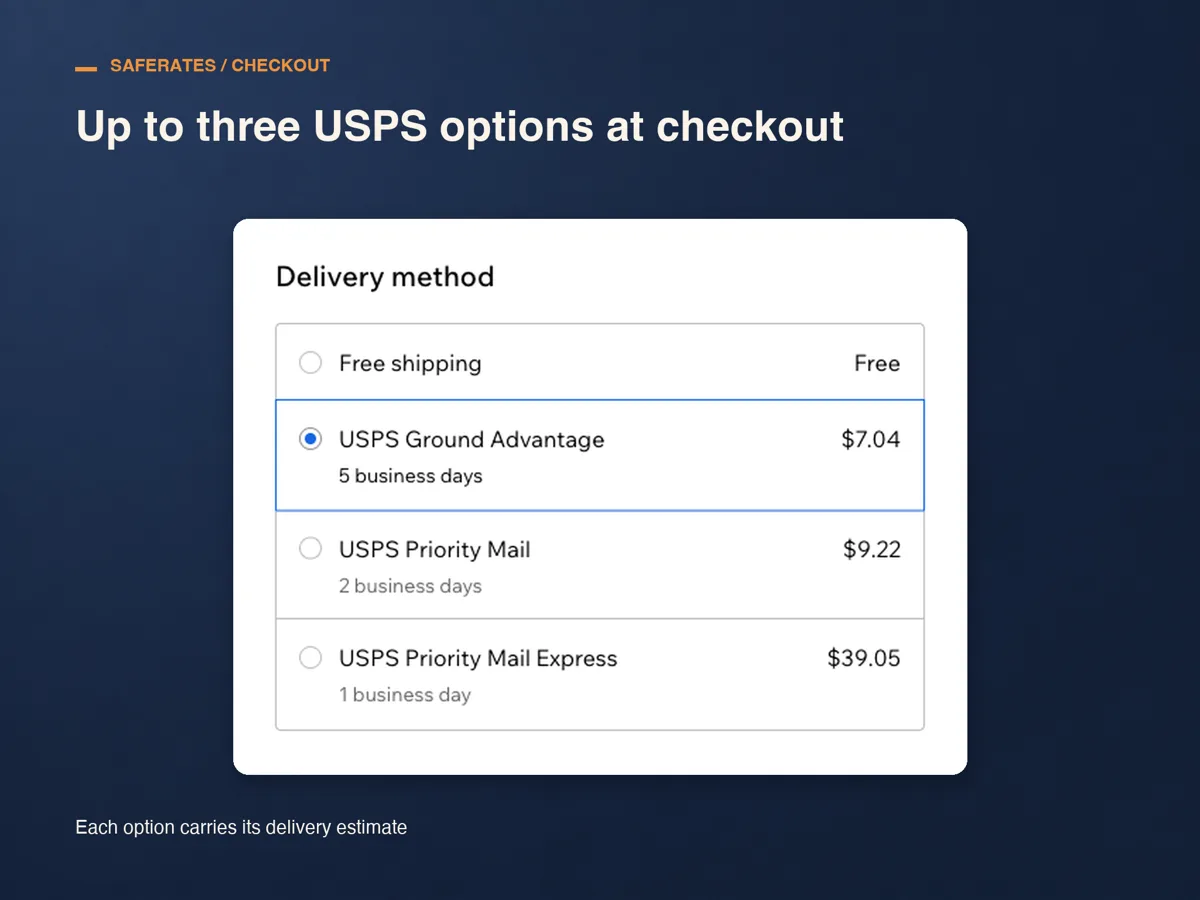
Put something in the cart, check out to a US address and look at Delivery method. You should see up to three USPS services, each with its delivery estimate, and any rule you wrote yourself in the same list: "Customers can select the shipping option they prefer in the Cart (if enabled) or on the Checkout Page."
Then go back to Overview. The request should appear within seconds, with the destination, the lowest price the shopper saw and the response time. A row marked Backup rate means the live feed failed and your saved flat amount went out; Default weight means an item had no weight and your default carried it.
What it costs, and what it will not do
SafeRates runs for 14 days from install with no plan and no card. After that there is one plan, Standard: US$29 a month, or US$24 a month billed yearly, charged through Wix.
It returns USPS services only, for US domestic checkouts, and connects no carrier account of yours, so the prices hold no negotiated discount. It cannot read or change your shipping rules either, which is why the checks above start in Wix.
Frequently asked questions
Checkout says the store does not ship to that area. Is that the app?
No. That message comes from Wix before any rate app is asked: the address falls in no shipping region, or that region has nothing active.
Rates worked yesterday and stopped today.
Check the plan first, then the cart. Overview marks a request free period ended, no plan confirmed when the trial has run out, and no product weight and no default weight when a new product came in blank.
I pressed the one-click switch and nothing happened.
The line under the button says which answer came back. A site installed before that release has no permission yet and is asked to update from Manage Apps; a region switched off in Wix has to be turned on there.
What does it cost?
Fourteen days from install with no card, then US$29 a month, or US$24 a month billed yearly, on the Standard plan and billed through Wix. Cancel during the trial and nothing is charged.
See SafeRates on the Wix App Market
See SafeRates on the Wix App Market